Driver Gratuity in Driver Anywhere
The Driver Anywhere app allows passengers to add a gratuity for the driver when paying for their ride. Driver Gratuity is supported on both iOS and Android versions of Driver Anywhere.
Enabling Driver Gratuity
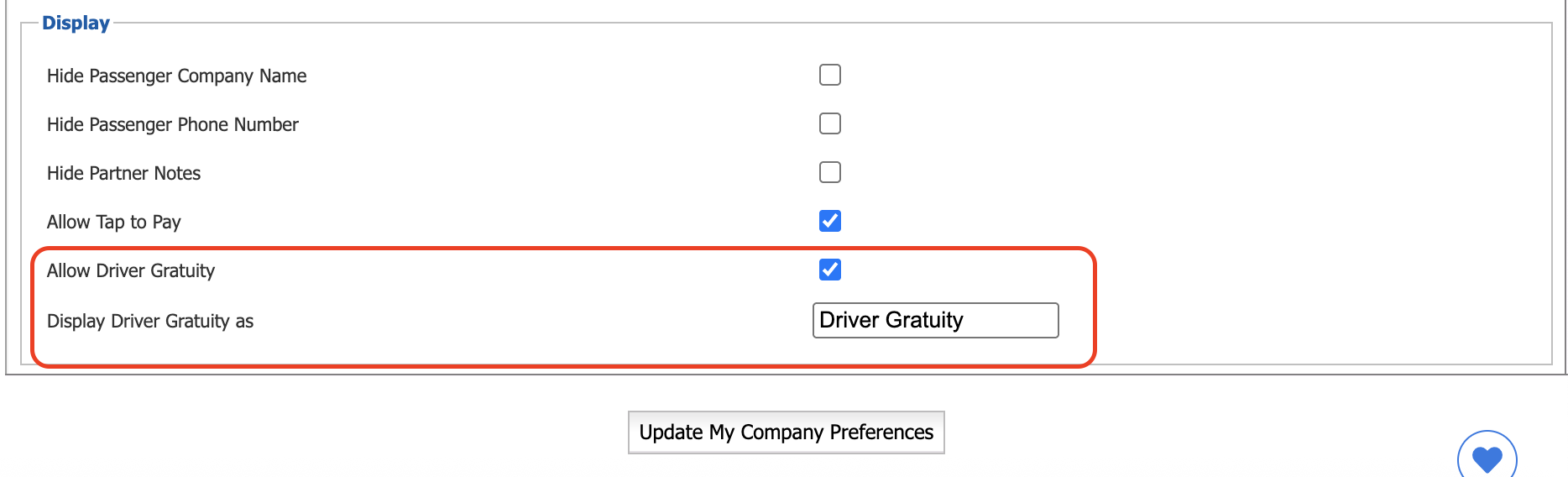
Before passengers can add gratuity through Driver Anywhere, the feature must be enabled by the operator.
Navigate to:
Company Preferences > Driver Anywhere
Enable the Driver Gratuity option.
Once enabled, Driver Gratuity will be available to drivers using a version of the Driver Anywhere app that supports this feature.
Customizing the Driver Gratuity Name
By default, the rate line item is named Driver Gratuity. Operators can customize this name under Company Preferences > Driver Anywhere.
The configured name will be used throughout the system and in passenger email communications. For example, if Driver Gratuity is renamed to Driver Tip, the new name will be displayed wherever the gratuity rate line item appears.
Configuring the Driver Gratuity Percentage
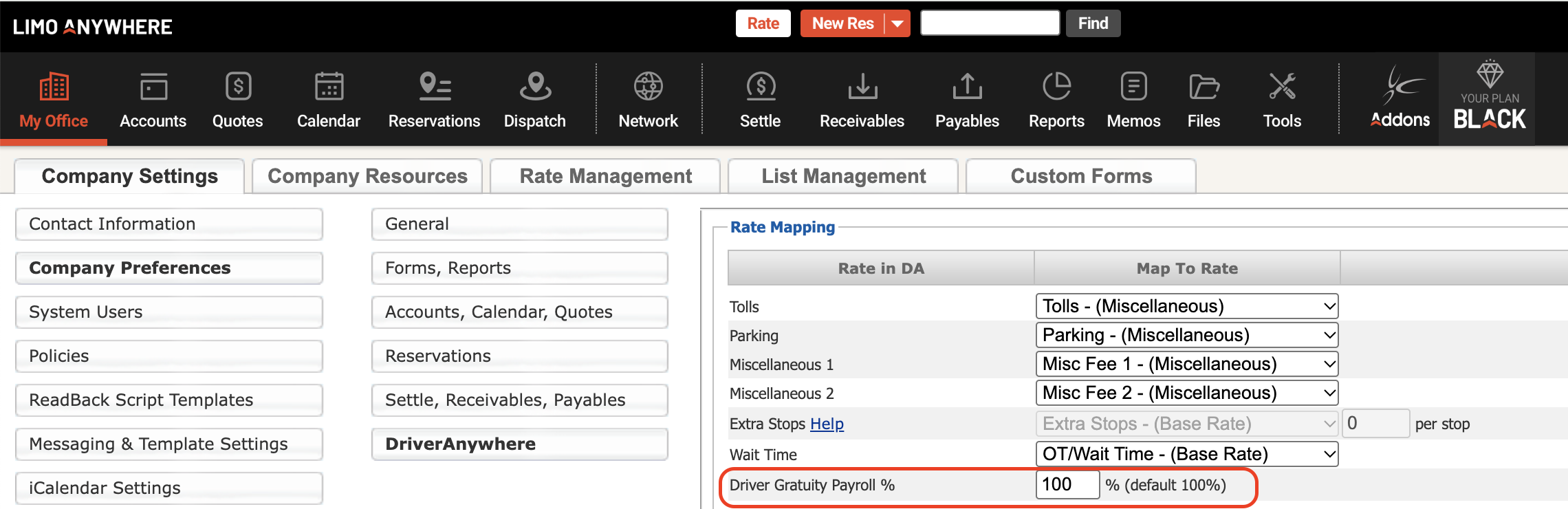
By default, 100% of the Gratuity collected is allocated to the driver. Operators can change the percentage whenever by going under Company Preferences > Driver Anywhere.
This setting determines how much Gratuity is included in the Driver Payroll
Passenger Experience
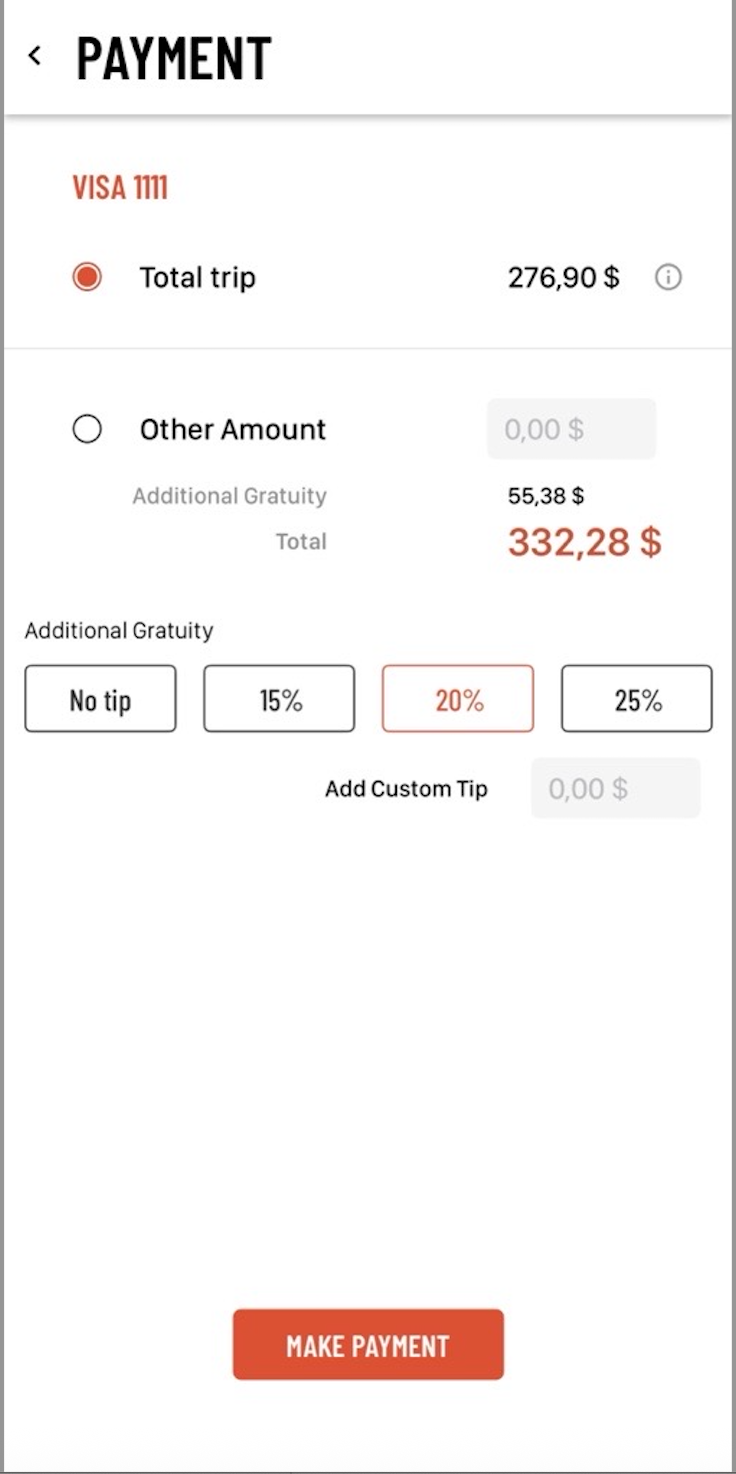
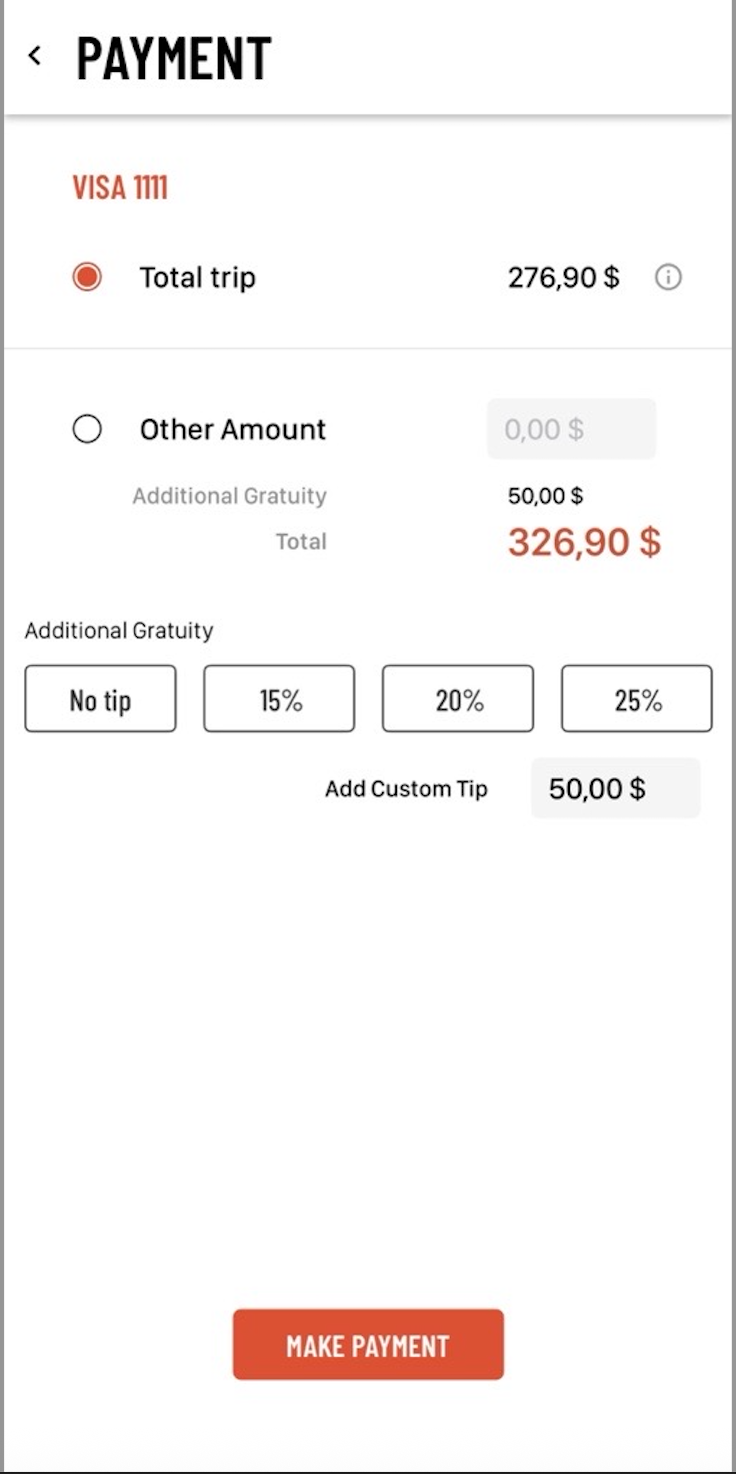
Once Driver Gratuity has been configured and the Driver is using a supported version of DA4 (Driver Anywhere app), the option for Gratuity will automatically appear on the passenger payment flow.
When paying for the ride, the passenger can choose to:
- Add Gratuity as a percentage of the trip total, or
- Enter a custom Gratuity amount
The selected Gratuity will be added to the payment before the transaction is complete.
After a successful payment, the Driver Gratuity amount will be recorded separately from the trip fare and will be available in several areas of the system.
Reservation Price Breakdown
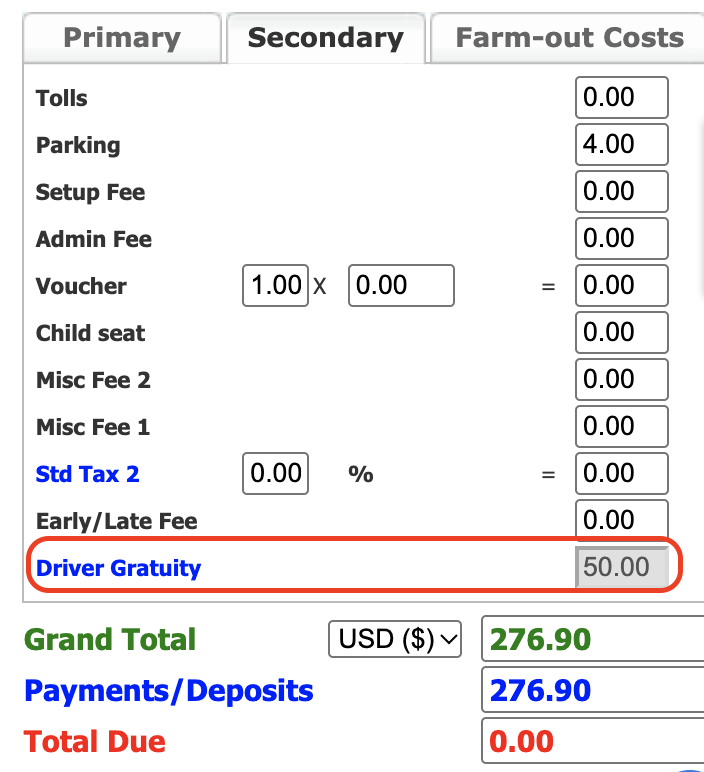
The Gratuity amount is displayed as a separate rate line item in the reservation price breakdown on the Secondary tab.
The Driver Gratuity amount is read-only and cannot be edited after it has been collected via Driver Anywhere.
Payment Terminal
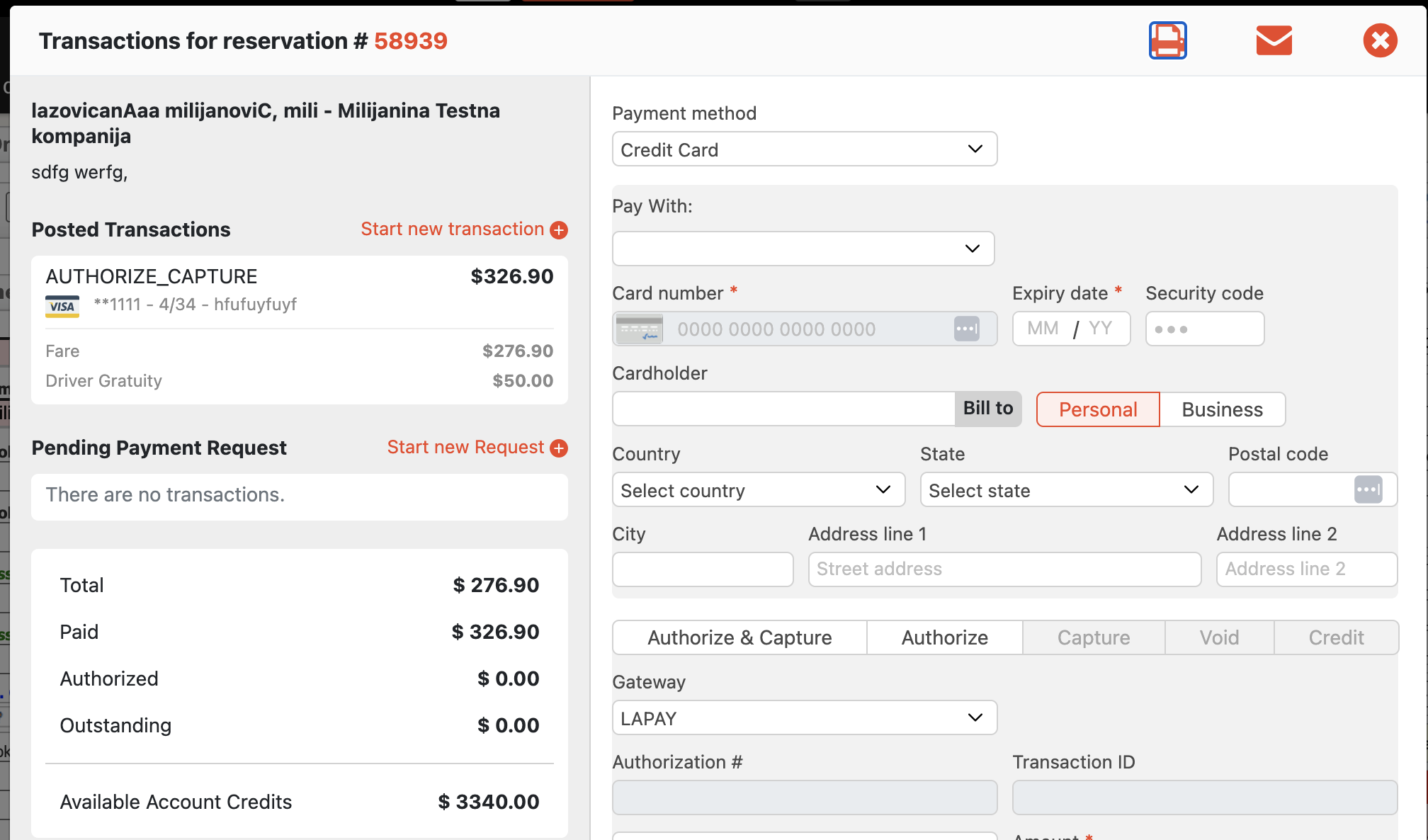
Within the Payment Terminal, the transaction breakdown will display both the trip fare/price as well as the Driver Gratuity added from DA4 (Driver Anywhere) separately.
This makes it possible to distinguish the Gratuity amount from the rest of the payment.
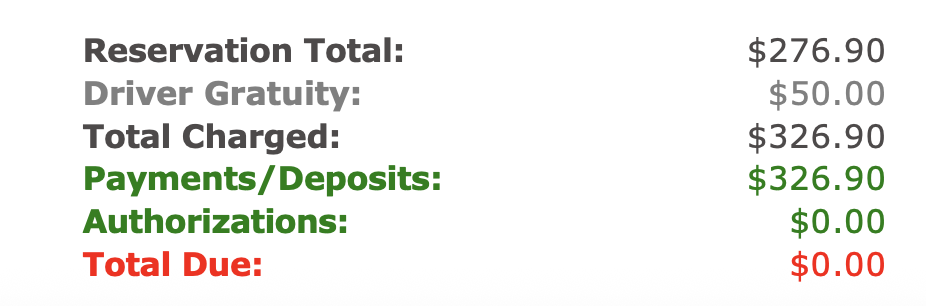
The Gratuity will also be displayed as a separate line item on Customer Receipts:
Was this article helpful?
That’s Great!
Thank you for your feedback
Sorry! We couldn't be helpful
Thank you for your feedback
Feedback sent
We appreciate your effort and will try to fix the article