Steps below will provide instructions on how to successfully add LA iCalendar to Outlook Calendar
- Obtain iCalendar URL

- Open Microsoft Outlook
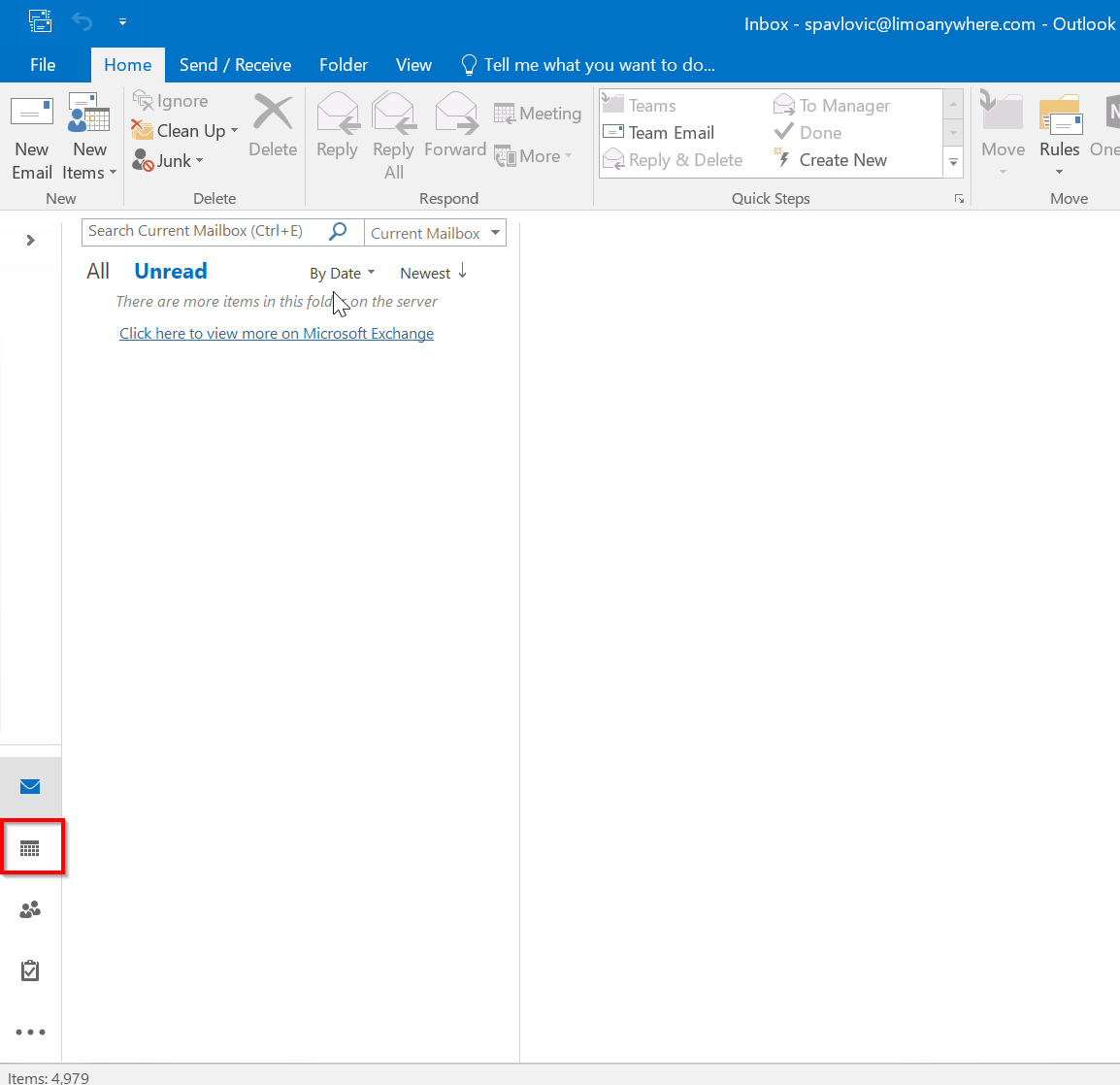
- Click on the Calendar icon
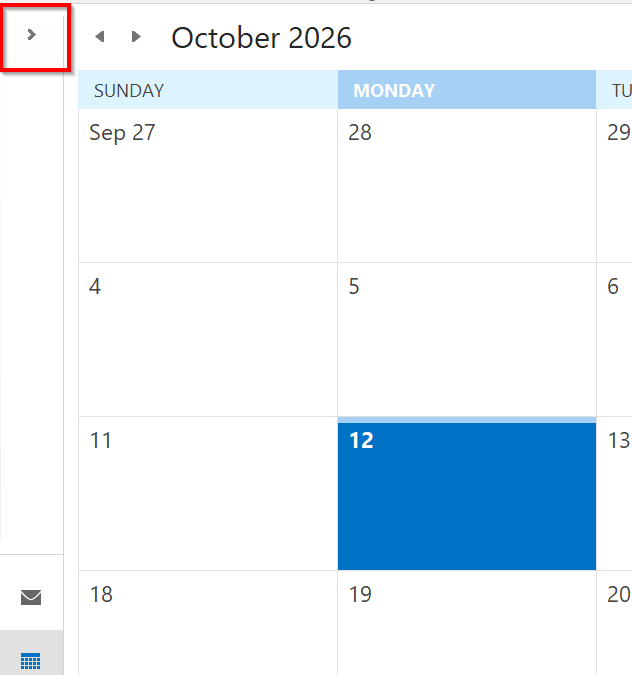
- Click on the Arrow pointing right to Expand the Folder Pane
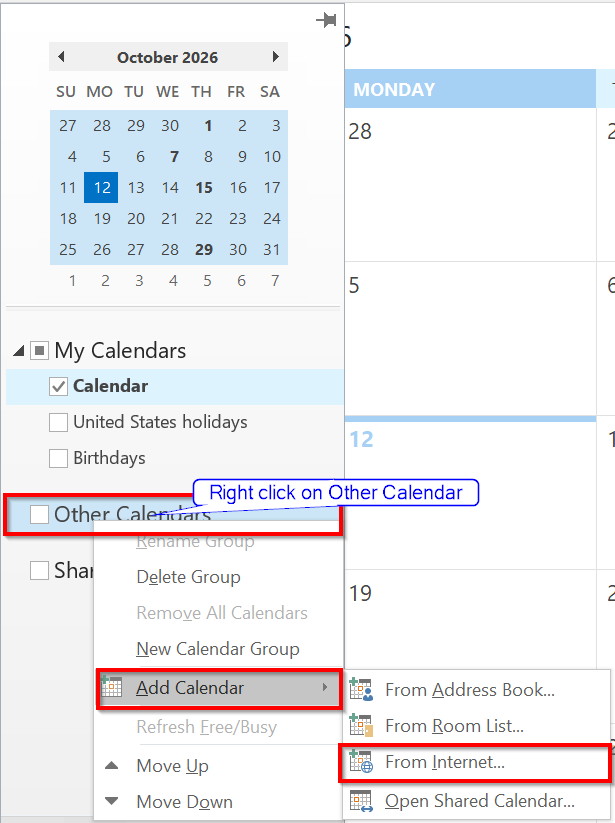
- Right click on Other Calendars > Add Calendar > Click on From Internet
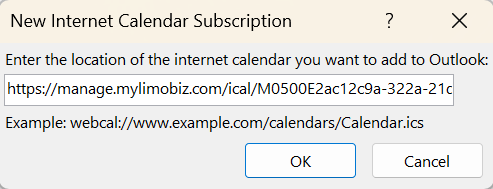
- Paste the obtained URL in the field shown on the screenshot below
Was this article helpful?
That’s Great!
Thank you for your feedback
Sorry! We couldn't be helpful
Thank you for your feedback
Feedback sent
We appreciate your effort and will try to fix the article